Read a bitstream
You will learn
What is inside a .bit file, and which chip it was built for.
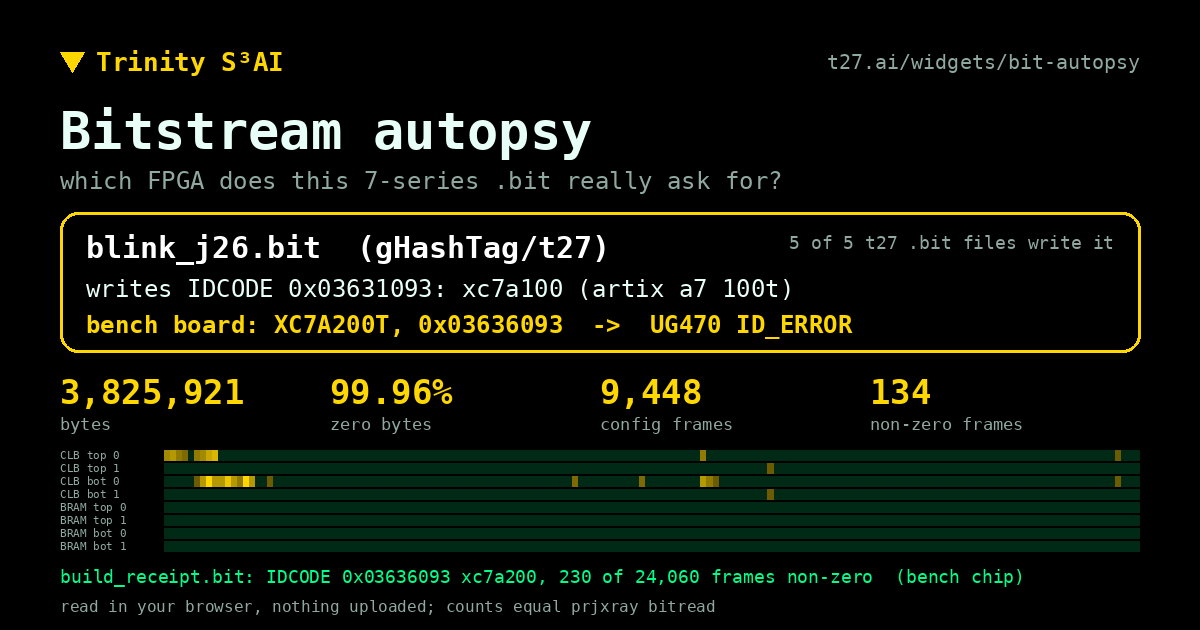
A .bit file is a header followed by packets: commands to the chip's configuration logic and the frames themselves. One of those commands writes the IDCODE of the chip the file was built for. Drop a .bit into the autopsy and see which chip it asks for. Five bitstreams committed to t27 turn out to target a different part than our bench.
Try it
Open the blink_j26 sample and compare the part in its header with the IDCODE it writes.
All lessons
Module 1 · The chip
What an FPGA is, which chip we use, and how its pins meet the board.
Module 2 · Numbers in hardware
Bits, trits and number formats, and what arithmetic costs in logic.
Module 3 · Your t27 program
Write a spec, test it, and see why compiling is not the same as being right.
Module 4 · Inside t27c
How the compiler reads a spec and what it writes, including the native t27b.
Module 5 · From spec to hardware
The Verilog t27c writes, the cells it becomes, and what one LUT does.
Module 6 · Reading synthesis
What yosys reports about your design, and which warnings matter.
Module 7 · Place, route, timing
Where the cells land on the die, and whether the clock is met.
Module 8 · The bitstream
How a routed design becomes the bits the chip loads, with no Vivado.
Module 9 · On the board
Ask the chip who it is, load the bits, and check them.
Module 10 · Lab: our own research
A number format of our own, an honest scoreboard, and a model's tables multiplied on the board.